Synology DS223 2-Bay NAS: Full Rundown (2026)
This is an affiliate link — we may earn a commission at no extra cost to you.
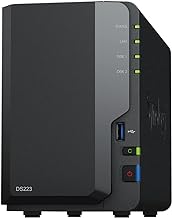
The DS223 is Synology's entry-level 2-bay network-attached storage box, running Synology's DiskStation Manager (DSM) software — the same OS family used across their higher-end NAS lineup. This is based on manufacturer specifications and published spec-sheet data; we don't test networking/storage hardware in-house.
Who it's for
Good fit if you want centralized, backed-up storage for a home office or small team, with the option to add automated backups, media serving, and remote access through Synology's app ecosystem. Skip it if you just need occasional external storage — a portable SSD is simpler and cheaper for that.
Specs
| Spec | Synology DS223 |
|---|---|
| Bays | 2 (this listing includes 8TB total, configuration varies) |
| CPU | Quad-core (RTD1619B) |
| Network | Gigabit LAN port |
| RAID support | Synology Hybrid RAID (SHR), RAID 0/1 |
| Software | DSM (DiskStation Manager) |
What stands out
DSM is the real value here — a full software ecosystem for automated backups (from computers, phones, cloud accounts), file syncing, media serving, and surveillance station support, all managed through a browser-based interface. The 2-bay format with RAID 1 or SHR gives you redundancy so a single drive failure doesn't mean lost data.
What to know before buying
It's an entry-level model — the quad-core CPU handles file serving and basic apps fine, but heavier workloads (video transcoding, running many Docker containers) will strain it more than Synology's higher-end Plus-series models. Buy drives separately unless the listing specifically includes them, and use NAS-rated drives rather than standard desktop drives for reliability.
Bottom line
For home or small-office centralized storage with real backup redundancy and a mature software ecosystem, the DS223 is a solid entry point into Synology's NAS lineup.
Check the current price on the Synology DS223 →
The Workflow Guide publishes independent research on tech tools and gear. We do not test networking/storage hardware in-house; this page is based on manufacturer specifications and published spec-sheet data.
Connection, audio, light, camera, desk and power, in the order that matters. Free 2-page PDF, no spam.
No spam. Unsubscribe anytime.
Synology DS223 2-Bay NAS with 8TB
Our pick, based on published specs and owner reviews — not hands-on testing.
Check Price on Amazon →Founder of The Workflow Guide — an IT professional who researches home-office gear and productivity software from specs, documentation and published reviews. Full bio →