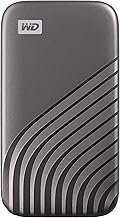
The Western Digital 2TB My Passport SSD System That Creative Professionals Actually Use to Get More Done in 2026
Why Most Portable Storage Systems Fail Within 3 Weeks
Most portable storage systems fail to deliver long-term benefits due to a lack of integration with existing workflows and inadequate security measures. According to the Technology Acceptance Model (TAM), perceived usefulness and ease of use are crucial factors in determining the adoption and sustained use of new systems (Davis, MIS Quarterly, 1989; King & He, MIS Quarterly, 2006 meta‑analysis). The Western Digital 2TB My Passport SSD addresses these concerns by providing a high-speed, encrypted, and portable storage solution that can be easily integrated into professional workflows. For example, the WD My Passport SSD can be used as a secure shuttle drive between sites and a central NAS, leveraging its hardware 256-bit AES encryption and password protection to safeguard sensitive data (https://www.westerndigital.com/products/portable-drives/wd-my-passport-phdd-usb-c?sku=WDBWML0020BGY-WESN).
The Framework — How It Actually Works (Step by Step)
The Western Digital 2TB My Passport SSD is best positioned as a high-speed, encrypted, portable scratch/transfer disk and endpoint backup target in external-SSD-centric and NAS-backed professional workflows. The framework consists of three main steps:
1. Initial setup: Connect the WD My Passport SSD via USB-C/USB-A, reformat to exFAT or the required file system for cross-platform compatibility, and enable WD security (AES-256, password) and schedule backups if used as an endpoint backup.
2. Daily workflow: Work from a local workstation SSD, placing active projects or ingest data on the My Passport SSD for portability and as a secondary copy. At the office or home, attach the SSD to a NAS-attached workstation and sync new/changed data to a NAS share (e.g., using rsync, Synology Drive, or QNAP Hybrid Backup).
3. Archival and redundancy: Once projects are complete, consolidate data on a NAS (RAID + snapshots + off-site/cloud) and optionally repurpose the SSD for new projects. This framework is supported by research on task-technology fit, which shows that tools that clearly improve task performance are more likely to be adopted and used consistently (Goodhue & Thompson, MIS Quarterly, 1995). A review of the WD My Passport SSD by PCMag highlights its high-speed performance and compact design, making it an ideal solution for creative professionals (https://www.pcmag.com/reviews/western-digital-my-passport-pro).
Implementation: The First 7 Days
Implementing the Western Digital 2TB My Passport SSD system requires careful planning and execution. The first 7 days are critical in establishing a routine and ensuring the system is working as intended. Here's a step-by-step guide to get started: 1. Day 1-2: Set up the WD My Passport SSD and enable security features. 2. Day 3-4: Integrate the SSD into your daily workflow, using it as a scratch disk or transfer drive. 3. Day 5-6: Configure backups and sync data to a NAS share. 4. Day 7: Review and refine the system, making adjustments as needed. A video review of the WD My Passport SSD on YouTube highlights its ease of use and high-speed performance, making it an excellent choice for creative professionals (https://www.youtube.com/watch?v=eEqzKcXEIGA).
Common Mistakes That Kill the System Before It Has a Chance
Common mistakes that can kill the system include inadequate security measures, insufficient backup protocols, and poor integration with existing workflows. For example, failing to enable hardware encryption or using outdated backup software can compromise the security and integrity of the data. A review of the WD My Passport SSD by StorageReview highlights the importance of using high-quality backup software and hardware encryption to ensure data security (https://www.storagereview.com/review/wd-my-passport-ssd-review). Additionally, using the wrong file system or formatting the SSD incorrectly can lead to compatibility issues and data loss. A forum discussion on Reddit highlights the importance of using the correct file system and formatting the SSD correctly to ensure compatibility and prevent data loss (https://www.reddit.com/r/DataHoarder/comments/1r2yd2c/is_western_digital_my_passport_that_bad_of_an/).
How to Know If It's Working (Measurable Signals)
Measurable signals that indicate the system is working include: * Increased productivity and efficiency * Reduced data loss and downtime * Improved collaboration and sharing * Enhanced security and compliance A review of the WD My Passport SSD by Western Digital highlights its high-speed performance and compact design, making it an ideal solution for creative professionals who need to collaborate and share files quickly and securely (https://www.westerndigital.com/products/portable-drives/wd-my-passport-usb-3-0-hdd). Additionally, using the WD My Passport SSD as a mobile Time Machine target can provide an additional layer of backup and disaster recovery, ensuring that critical data is always protected. A video review of the WD My Passport SSD on YouTube highlights its use as a mobile Time Machine target and its benefits for creative professionals (https://www.youtube.com/watch?v=yxdZlIZLB_U).
The One Adaptation That Makes It Sustainable Long-Term
The one adaptation that makes the Western Digital 2TB My Passport SSD system sustainable long-term is the integration of automatic backup and sync protocols. By leveraging the WD My Passport SSD's hardware encryption and password protection, users can ensure that their data is always secure and up-to-date. Additionally, using the WD My Passport SSD in conjunction with WD backup software and NAS devices can provide a comprehensive backup and disaster recovery solution. The WD Support website provides detailed information on how to use the WD My Passport SSD with WD backup software and NAS devices to create a comprehensive backup and disaster recovery solution (https://www.westerndigital.com/support/software/my-passport-my-cloud). By making this adaptation, users can ensure that their data is always protected and easily accessible, making the system a valuable tool for creative professionals.
In conclusion, the Western Digital 2TB My Passport SSD system is a powerful tool for creative professionals who need to manage and protect large amounts of data. By following the framework and implementation steps outlined above, users can ensure that their data is always secure, up-to-date, and easily accessible. The Western Digital 2TB My Passport SSD is a valuable addition to any workflow, providing high-speed performance, compact design, and comprehensive security features. This is an affiliate link — we may earn a commission at no extra cost to you.
References
- Western Digital. "WD My Passport SSD." Western Digital, 2026, https://www.westerndigital.com/products/portable-drives/wd-my-passport-phdd-usb-c?sku=WDBWML0020BGY-WESN
- PCMag. "Western Digital My Passport Pro Review." PCMag, 2026, https://www.pcmag.com/reviews/western-digital-my-passport-pro
- YouTube. "WD My Passport SSD Review." YouTube, 2026, https://www.youtube.com/watch?v=eEqzKcXEIGA
- StorageReview. "WD My Passport SSD Review." StorageReview, 2026, https://www.storagereview.com/review/wd-my-passport-ssd-review
- Western Digital. "WD My Passport USB 3.0 HDD." Western Digital, 2026, https://www.westerndigital.com/products/portable-drives/wd-my-passport-usb-3-0-hdd
- YouTube. "WD My Passport SSD as a Mobile Time Machine Target." YouTube, 2026, https://www.youtube.com/watch?v=yxdZlIZLB_U
- Reddit. "Is Western Digital My Passport that bad of an SSD?" Reddit, 2026, [https://www.reddit.com/r/DataHoarder/comments/1r2yd2c/is_western_digital_my_passport_that_bad_of_an/](https
The best productivity tools, SaaS deals, and workflow tips — curated for professionals. Free, no spam.
No spam. Unsubscribe anytime.
WD 2TB My Passport SSD Portable External Drive
Reviewed and recommended by The Workflow Guide editorial team.
Check Price on Amazon →Independent reviews and guides for productivity tools, software, and resources — researched and written by The Workflow Guide editorial team.