Best Lighting for Video Calls and Streaming (2026)
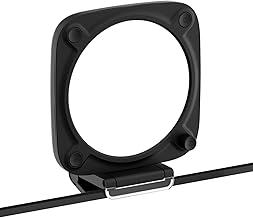
Good lighting does more for how you look on camera than any webcam upgrade. This guide compares desk and video lighting worth considering in 2026, based on published specifications, professional review testing, and recurring themes in verified owner reviews. We don't test lighting in-house yet, so where an assessment comes from a reviewer we say so.
How we compared them
We weighted output and diffusion quality (soft light flatters, harsh light doesn't), colour accuracy, controls, mounting, and price. But the most important thing is choosing the right type of light for the job.
The decision that matters most: key light or monitor light bar?
These solve different problems and people constantly confuse them.
- A key light (Elgato Key Light Neo, Elgato Key Light) sits beside or above your monitor and points a large, soft, diffused light at your face. This is what makes you look good on calls and streams. Reviewers describe it as the single biggest improvement to on-camera appearance.
- A monitor light bar (BenQ ScreenBar Pro) clips to the top of your monitor and points down at your desk. It reduces eye strain during long work sessions and doesn't cause screen glare. It does almost nothing for how you look on camera.
If your goal is looking good on video, you want a key light. If your goal is comfortable eyes for a long workday, you want a monitor light bar. Many people end up wanting both — for different reasons.
The specs that matter (and the ones that don't)
- Matters: a proper diffuser (soft light, no harsh shadows), adjustable colour temperature (roughly 2900–7000 K), app or physical control you'll actually use, and a mount that fits your desk.
- Matters less: peak lumens beyond what fills a desk-distance frame, and RGB colour effects unless you stream.
Best for video calls: Elgato Key Light Neo
Reviewers rate the Key Light Neo as the best value way to get professional-quality diffused light for calls: up to 1,000 lumens (700 on a USB-C port; the full 1,000 needs a 3A power supply sold separately) through a built-in diffuser that keeps skin tones natural, app-controlled, with a monitor mount included. It's the pick for anyone who wants to look noticeably better on Zoom or Teams without building a studio. The monitor-clip mount is the point of the Neo over the full-size Key Light — it frees up desk space, at the cost of less total light for a larger room.
→ Full Elgato Key Light Neo breakdown Check Elgato Key Light Neo price →
Best for a full video setup: Elgato Key Light (2800 lumens)
The larger, brighter Key Light is the step up for people recording video content or streaming in a brighter room, where the Neo's output isn't quite enough. More light, more control, a floor or desk-clamp stand — and a higher price.
→ Full Elgato Key Light breakdown Check Elgato Key Light price →
Best for eye comfort: BenQ ScreenBar Pro
Reviewers rate the ScreenBar Pro highly as a desk light — BenQ rates it at over 1,000 lux at the centre of the desk, with no glare on the screen, plus automatic brightness that adjusts to the room. It won't improve how you look on camera, but for long working days it's a genuine comfort upgrade and it frees up desk space a lamp would take. Its asymmetric optical design is the key detail — light is aimed down at your desk, not at the screen, and the design leaves a webcam on top of the monitor unblocked.
→ Full BenQ ScreenBar Pro breakdown Check BenQ ScreenBar Pro price →
Best for a dedicated video corner: GVM RGB LED Kit
A two-light panel kit with stands and full colour control — the pick when you're setting up a proper filming spot rather than lighting a desk, and want control over background colour as well as key light. GVM sells several RGB panel configurations at different price points, so confirm the exact brightness, size, and contents on the specific listing before buying.
→ Full GVM RGB LED Kit breakdown Check GVM RGB LED Kit price →
Best budget task light: Micomlan Architect Desk Lamp
If you just need a good adjustable task lamp for the desk — not camera lighting — the Micomlan architect-style lamp is the inexpensive option with a wide reach and adjustable temperature. It's a basic mechanical lamp with no app control — the appeal is the articulated swing-arm positioning at a price well below premium architect-style lamps.
→ Full Micomlan Architect Desk Lamp breakdown Check Micomlan Architect Desk Lamp price →
Common mistakes to avoid
- Buying a monitor light bar to look better on camera. It points the wrong way. You want a key light.
- Using a bare bulb or ring light with no diffusion. Hard light creates harsh shadows and catchlights. Soft and diffused always looks better.
- Lighting yourself from behind. A window or lamp behind you turns you into a silhouette. The main light goes in front, slightly to one side.
- One light, dead centre. Slightly off-axis (about 30–45°) gives your face shape. Straight-on is flat.
Quick recommendation
| Your situation | Buy |
|---|---|
| Want to look good on calls | Elgato Key Light Neo |
| Recording video / streaming in a bright room | Elgato Key Light (2800 lm) |
| Long work days, tired eyes, no camera concern | BenQ ScreenBar Pro |
| Building a dedicated filming corner | GVM RGB LED Kit |
| Just need a good desk task lamp | Micomlan Architect Desk Lamp |
Browse the full range in the Workflow Guide lighting store.
FAQ
What's the difference between a key light and a monitor light bar? A key light (Elgato Key Light Neo or Key Light) sits beside or above your monitor and points a soft, diffused light at your face — that's what improves how you look on camera. A monitor light bar (BenQ ScreenBar Pro) clips to the top of your monitor and points down at your desk instead, reducing eye strain during long work sessions but doing almost nothing for your on-camera appearance.
Which light should I buy if I just want to look better on Zoom or Teams? The Elgato Key Light Neo — reviewers rate it the best value way to get professional, diffused light for calls, with natural skin tones and a monitor mount included.
Where should I position my key light? Slightly off-axis, roughly 30–45 degrees to one side, not dead-center and never behind you. Straight-on lighting looks flat, and a light source behind you turns you into a silhouette.
The Workflow Guide publishes independent research and comparisons for remote workers, creators, and small teams. We do not test lighting in-house; this guide is based on manufacturer specifications, professional reviews, and verified owner feedback, and is reviewed by our editor before publishing. Some links are affiliate links — we may earn a commission if you buy through them, at no extra cost to you. See our full disclosure.
Connection, audio, light, camera, desk and power, in the order that matters. Free 2-page PDF, no spam.
No spam. Unsubscribe anytime.
Top picks from this guide
Based on published specs and owner reviews — not hands-on testing.
- Elgato Key Light NeoCheck price →
- Elgato Key LightCheck price →
- BenQ ScreenBar ProCheck price →
- GVM RGB LED KitCheck price →
- Micomlan Architect Desk LampCheck price →
Founder of The Workflow Guide — an IT professional who researches home-office gear and productivity software from specs, documentation and published reviews. Full bio →