Elgato Stream Deck MK.2: Specs, Reviews & Is It Worth It for Work? (2026)
This is an affiliate link — we may earn a commission at no extra cost to you.
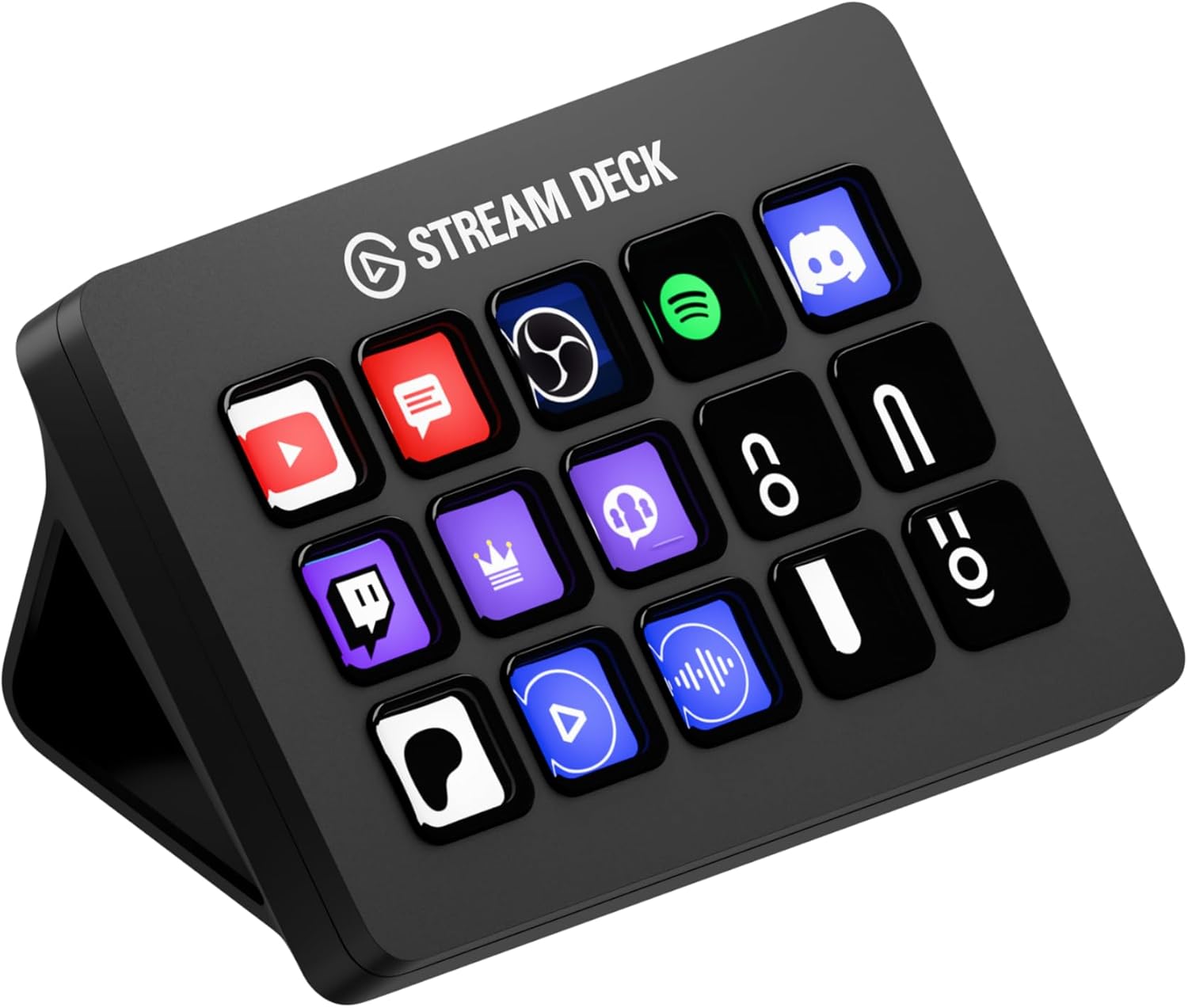
The Stream Deck MK.2 is Elgato's standard 15-key controller. Each key is a small LCD screen that shows what it does, and you assign actions to the keys in Elgato's software. It was built for live streamers, but it has found a second audience among people who want one-touch shortcuts for their work apps. LaptopMag lists it at $150 [1]. This page is based on published specifications and independent professional reviews; we don't test controllers in-house.
Quick verdict
For streamers and video creators, the MK.2 is the default pick — LaptopMag gave it an Editor's Choice award and called it "a must-buy for professional streamers" [1]. For general office work it's a nice-to-have rather than a necessity: the same reviewer notes that non-streamers may not gain much over keyboard shortcuts [1]. Buy it for work if you repeat the same multi-step actions many times a day and like a dedicated button for each.
Full specs
| Spec | Elgato Stream Deck MK.2 |
|---|---|
| Price | $150 list [1] |
| Keys | 15 customisable LCD keys [1] |
| Size | 4.6 × 3.3 × 1.0 in [1] |
| Weight | 9.5 oz with stand; 5.1 oz without [1] |
| Connection | Detachable USB-C cable [1][2] |
| Stand | Detachable, fixed at about 45° [1][2] |
| Faceplate | Interchangeable [2] |
| Software | Elgato Stream Deck app with a store of add-ons [1] |
MK.2 vs the original Stream Deck
The button layout and core function are the same — 15 LCD keys [1]. The MK.2's changes are physical: a USB-C port with a detachable cable, interchangeable faceplates, and a detachable stand fixed at 45° (the original's stand offered several angles) [2]. LaptopMag's view is that the MK.2 "primarily delivers design refinements rather than expanded capabilities" [1]. If you already own an original Stream Deck, there's little reason to upgrade.
What reviewers highlight
- Easy to configure. LaptopMag praises "easily configurable" keys and "great software and store" [1].
- Design. A "sleek design" with a detachable USB-C cable [1].
- Visual feedback. Because each key is a screen, you can see what each button does at a glance [1].
What to know before buying
- Small text on the keys. LaptopMag found key labels limited to roughly 9–10 characters before the text distorts [1]. Use icons rather than words.
- Price. It's "expensive for functionality offered" [1], especially if you only need a handful of shortcuts.
- Benefit for office work varies. If your shortcuts are simple key combinations, your keyboard already does the job [1]. The MK.2 earns its place when one button triggers a sequence of steps, or when you want visual confirmation of state.
- Fixed angle. The stand is fixed at 45° [1][2]; if you want a different angle you'll need a third-party stand.
Who it's for
- Good fit: streamers, video creators, and anyone producing live calls or webinars who juggles scenes, audio, and lighting — including Elgato lights like the Key Light Neo, which are controlled through Elgato's own software.
- Maybe: knowledge workers who repeat the same multi-step workflows many times a day.
- Skip it: if a few keyboard shortcuts already cover what you do.
FAQ
How many keys does the Stream Deck MK.2 have? 15 customisable LCD keys [1].
What's the difference between the Stream Deck and the MK.2? The MK.2 adds a detachable USB-C cable, interchangeable faceplates, and a detachable 45° stand; the 15-key layout is unchanged [1][2].
How big is the Stream Deck MK.2? 4.6 × 3.3 × 1.0 in, and 9.5 oz with its stand [1].
Is the Stream Deck MK.2 worth it for work? It's most useful when one button replaces several steps. LaptopMag notes non-streamers may find limited advantage over keyboard shortcuts [1].
Bottom line
The Stream Deck MK.2 is the reference button controller for streaming and content creation, with excellent software. For everyday office work it's a comfort upgrade rather than a must-have — worth it if you repeat complex actions all day, not if a few shortcuts already do the job.
Check the current price on the Elgato Stream Deck MK.2 →
See also
Sources
- Price, keys, dimensions, weight, USB-C cable, 45° stand, software and store, pros, cons, key-label text limit, Editor's Choice verdict, limited advantage for non-streamers, design refinements vs original — LaptopMag, Elgato Stream Deck MK.2 review
- MK.2 vs original: USB-C port and detachable cable, interchangeable faceplates, detachable fixed 45° stand vs original's adjustable stand — Lester Chan, Elgato Stream Deck MK.2
The Workflow Guide publishes independent research on tech tools and gear. We do not test controllers in-house; this page is based on published specifications and professional reviews.
Connection, audio, light, camera, desk and power, in the order that matters. Free 2-page PDF, no spam.
No spam. Unsubscribe anytime.
Elgato Stream Deck MK.2 Studio Controller
Our pick, based on published specs and owner reviews — not hands-on testing.
Check Price on Amazon →Founder of The Workflow Guide — an IT professional who researches home-office gear and productivity software from specs, documentation and published reviews. Full bio →