Elgato Stream Deck XL Advanced Studio Controller: Full Rundown (2026)
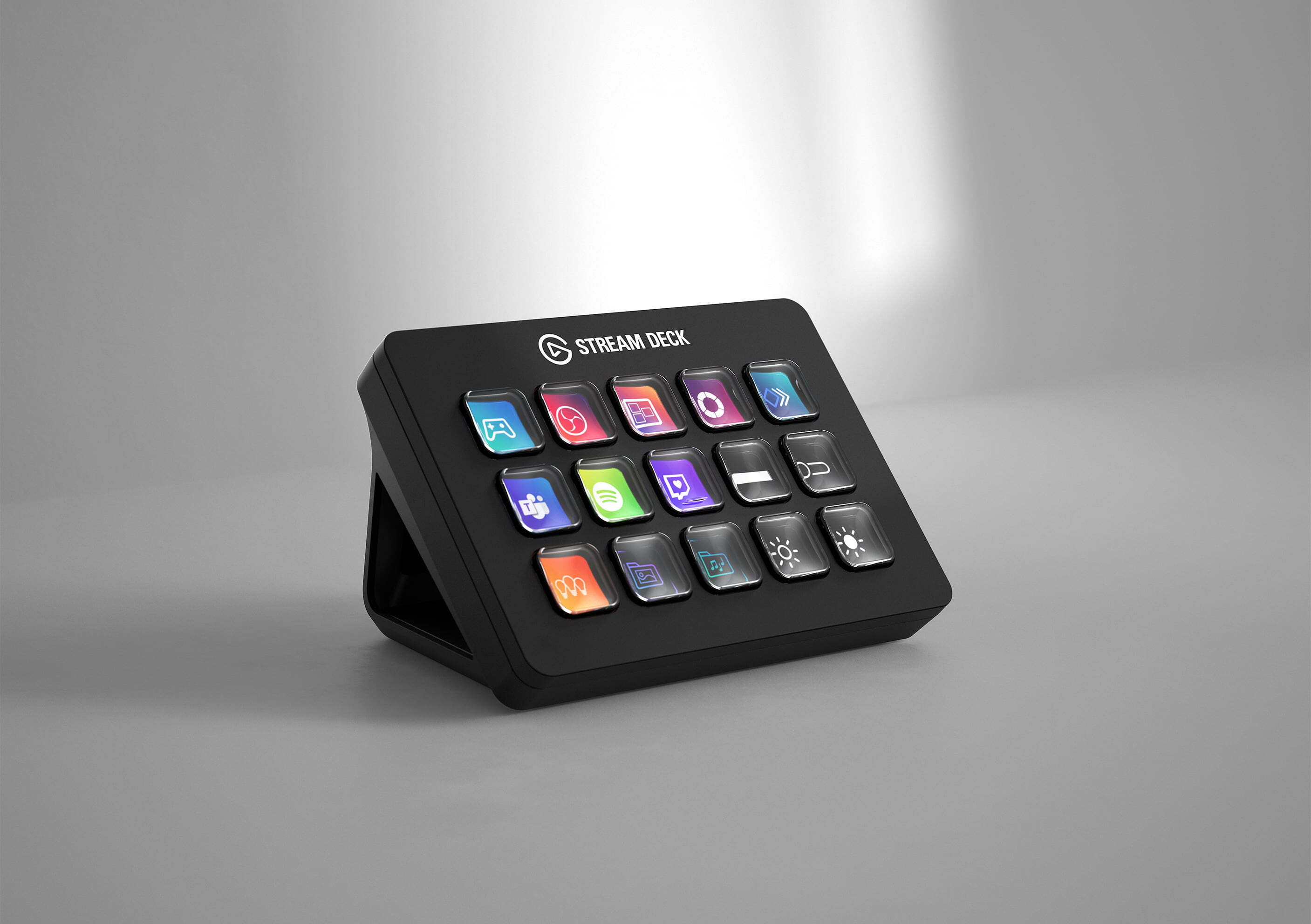
This is an affiliate link — we may earn a commission at no extra cost to you.
The Stream Deck XL is the largest model in Elgato's Stream Deck line: 32 customisable keys in a 4×8 grid, each with its own small screen showing what it does [1][2]. That's more than twice the 15 keys on the standard Stream Deck MK.2 [1][2]. You assign actions — app launches, hotkeys, multi-step macros, streaming controls — in Elgato's Stream Deck software. This page is based on published professional reviews and manufacturer information; we don't test controllers in-house.
Quick verdict
LANOC's reviewer found no significant downsides and liked the XL for streaming and for photo and video editing, where labelled hotkeys and macros save time [1]. But the same review concluded that "most people will be perfectly fine with the smaller regular-sized model" [1]. Buy the XL if you genuinely run out of keys on a 15-key deck — complex editing work, soundboards, or several apps' worth of shortcuts on one page.
Full specs
| Spec | Elgato Stream Deck XL |
|---|---|
| Keys | 32 customisable LCD keys, 4 rows × 8 [1][2] |
| Compared with | Stream Deck MK.2: 15 keys; Stream Deck Mini: 6 keys [1][2] |
| Connection | Detachable USB-C cable [1] |
| Stand | Detachable magnetic stand with large rubber foot; can also sit flat [1] |
| Software | Elgato Stream Deck app: folders, profiles, per-app auto-switching, plugins via SDK [1] |
| Price at LANOC review | $249.99 (MK.2 at the time: $149.99) [1] |
What stands out
- Room for everything on one page. Thirty-two keys mean fewer folders and less page-flipping; LANOC found the size especially useful for soundboards [1]. GameRevolution notes the XL gives the most room for editing-software shortcuts [2].
- Visual feedback. Each key is a screen, so you can see what a button does and whether it fired — GameRevolution highlights not having to guess if a macro worked [2].
- Profiles that follow your apps. Profiles can switch automatically when you open a given program — useful for separate Photoshop, video-editing, and streaming layouts [1].
- Large plugin ecosystem. Elgato's integrations cover OBS, Twitch, YouTube, and system hotkeys, and third-party plugins via the SDK add much more [1].
- Stable on the desk. The magnetic stand's large rubber foot kept it from sliding even under heavy presses [1].
What to know before buying
- Most people don't need 32 keys. LANOC could have fit normal streaming controls onto the 15-key model, which costs less [1]. Start there unless you know you need more.
- Setup takes time. The software was "a little intimidating at first" with 32 keys plus folders and profiles to fill, though LANOC found it easy once learned [1].
- No dials or volume control. LANOC wished for a volume wheel [1]; Elgato's Stream Deck + adds dials if that matters.
- Price is higher per unit, lower per key. At review, $249.99 vs $149.99 for the 15-key model [1] — better value per key only if you'll use them.
Who it's for
- Good fit: video and photo editors with many shortcuts, streamers who run soundboards or many scenes, and power users who want several apps' controls visible at once.
- Maybe: knowledge workers who repeat many multi-step actions daily — but try the MK.2 first.
- Skip it: if a handful of shortcuts covers your work; the MK.2 is cheaper and smaller.
FAQ
How many keys does the Stream Deck XL have? 32, in four rows of eight [1][2].
What's the difference between the Stream Deck XL and the MK.2? The XL has 32 keys; the MK.2 has 15. Both use the same Stream Deck software [1][2].
Does the Stream Deck XL use USB-C? Yes, with a detachable cable [1].
Can you use the Stream Deck XL without its stand? Yes — the stand is magnetic and detachable, and the XL can sit flat [1].
Bottom line
The Stream Deck XL is the right controller when you've outgrown 15 keys: lots of labelled, visible shortcuts and macros on one page, backed by Elgato's mature software and plugin library. For most people, though, the standard MK.2 does the job for less money.
Check the current price on the Elgato Stream Deck XL →
See also
Sources
- 32 keys in 4×8 grid vs 15 (Stream Deck) and 6 (Mini), detachable USB-C cable, magnetic detachable stand with rubber foot / can sit flat, software folders, profiles and per-app auto-switching, plugins and SDK, "a little intimidating at first", volume-wheel wish, most people fine with the regular model, $249.99 vs $149.99 at review — LANOC, Elgato Stream Deck XL review
- Largest model with most room for editing shortcuts, 32 customisable LCD keys vs 15 and 6, LCD visual feedback on key presses — GameRevolution, Elgato Stream Deck XL review
The Workflow Guide publishes independent research on tech tools and gear. We do not test controllers in-house; this page is based on published professional reviews and manufacturer information.
Connection, audio, light, camera, desk and power, in the order that matters. Free 2-page PDF, no spam.
No spam. Unsubscribe anytime.
Elgato Stream Deck XL Advanced Studio Controller
Our pick, based on published specs and owner reviews — not hands-on testing.
Check Price on Amazon →Founder of The Workflow Guide — an IT professional who researches home-office gear and productivity software from specs, documentation and published reviews. Full bio →