LG UltraFine 27US500-W 27" 4K Monitor: Full Rundown (2026)
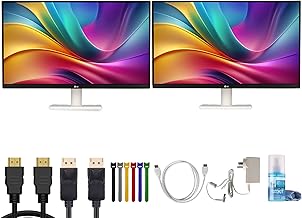
This is an affiliate link — we may earn a commission at no extra cost to you.
The LG UltraFine 27US500-W is a budget entry point into 4K: a 27-inch IPS panel at 3840×2160 with a matte anti-glare finish, wide color coverage, and none of the extras that push business monitors past the $400 mark — no USB-C hub, no height-adjustable stand [1][2]. LG's own store lists it at $249.99 [1]. This page is based on manufacturer specifications and published spec coverage; we don't test monitors in-house.
Quick verdict
If you want a sharp 4K screen for a desktop PC, or a second display for a laptop that already has a dock, the 27US500-W gives you the core of a good office monitor — a 4K IPS panel with 90% DCI-P3 coverage — at a budget price [1][2]. The trade-offs are deliberate: it connects over HDMI or DisplayPort only, and the stand tilts but doesn't raise or swivel [2]. If you want one cable to your laptop, or an ergonomic stand out of the box, budget more.
Full specs
| Spec | LG UltraFine 27US500-W |
|---|---|
| List price | $249.99 on LG.com [1] |
| Panel | 27" IPS, matte anti-glare [2] |
| Resolution | 3840×2160 (4K UHD) [1][2] |
| Refresh rate | 60Hz [2] |
| Brightness | 300 cd/m² typical [2] |
| Contrast | 1000:1 static [2] |
| Color | 10-bit, 90% DCI-P3 [1][2] |
| HDR | HDR10 (no local dimming) [1][2] |
| Response time | 5ms grey-to-grey [2] |
| Inputs | 1× DisplayPort 1.4, 2× HDMI 2.0 [2] |
| Other ports | 3.5mm headphone out [2] |
| USB-C | None [2] |
| Stand | Tilt only [2] |
| VESA | 100×100mm [2] |
| Power | External power brick [2] |
What stands out
- Sharp text for the money. 3840×2160 on a 27-inch panel gives you crisp text and room for side-by-side windows, which matters more for documents and spreadsheets than any gaming spec [1][2].
- Wider color than typical budget panels. LG quotes 90% DCI-P3 coverage with 10-bit color [1][2] — more color range than you'd usually find at this price, useful for light photo work.
- Office-friendly extras. LG lists Reader Mode and Flicker Safe for long reading sessions, and Dynamic Action Sync for lower input lag [1][2]. The on-screen menu is driven by a joystick under the bottom bezel [2].
- Easy to mount. Standard 100×100mm VESA holes mean any monitor arm can replace the stand [2].
What to know before buying
- No USB-C at all. Inputs are DisplayPort and two HDMI ports only [2]. A USB-C laptop needs an adapter or a dock, and the monitor won't charge it. If single-cable docking is the point, the Dell P2725QE is built around it.
- Tilt-only stand. There's no height, swivel, or portrait adjustment [2]. For long desk days at eye level, plan on a VESA arm such as the Ergotron LX.
- "HDR10" is basic. PCMonitors notes HDR support without local dimming and limited by the 300-nit brightness [2] — treat it as compatibility, not a real HDR experience.
- 60Hz. Fine for office work; not a gaming monitor [2].
- External power brick. One more thing to tuck under the desk [2].
Who it's for
- Good fit: desktop PC users who want 4K on a budget; a second screen next to a laptop that's already docked; anyone who will put it on a monitor arm anyway.
- Maybe: Mac laptop users — 4K at 27" is sharp, but you'll need a USB-C-to-HDMI or USB-C-to-DisplayPort adapter.
- Skip it: if you want one cable that carries video, data, and laptop charging, or a height-adjustable stand without buying an arm.
FAQ
Does the LG 27US500-W have USB-C? No. It has one DisplayPort 1.4 and two HDMI 2.0 inputs, plus a headphone jack [2].
What refresh rate is the 27US500-W? 60Hz [2].
Can you adjust the stand height? No — the included stand tilts only. The monitor accepts 100×100mm VESA mounts [2].
Is it good for photo editing? It covers 90% of DCI-P3 with 10-bit color [1][2], which is good for the price, but it's not a calibrated professional display.
Bottom line
The 27US500-W keeps the part that matters — a sharp 4K IPS panel with wide color — and drops the hub and the ergonomic stand to hit a budget price. That's a good trade if you use a desktop PC or already own a dock and a monitor arm. If you want a one-cable laptop setup, compare it with the Dell P2725QE first.
Check the current price on the LG UltraFine 27US500-W →
See also
- LG UltraFine 27US500-W vs Dell P2725QE — full comparison
- Best 4K USB-C monitors for a home office (2026)
- Ergotron LX dual monitor arm
Sources
- 27-inch IPS 4K UHD (3840×2160), up to 90% DCI-P3, HDR10, Reader Mode, Flicker Safe, Dynamic Action Sync, OnScreen Control, $249.99 list price — LG, 27US500-W product page
- Matte anti-glare IPS panel, 60Hz, 1000:1 static contrast, 300 cd/m² typical brightness, 10-bit / 90% DCI-P3, HDR10 without local dimming, 5ms grey-to-grey, DisplayPort 1.4 + 2× HDMI 2.0 + headphone jack, external power brick, tilt-only stand, 100×100mm VESA, joystick OSD — PCMonitors, LG UltraFine 27US500-W overview
The Workflow Guide publishes independent research on tech tools and gear. We do not test monitors in-house; this page is based on manufacturer specifications and published spec coverage.
Connection, audio, light, camera, desk and power, in the order that matters. Free 2-page PDF, no spam.
No spam. Unsubscribe anytime.
LG UltraFine 27US500-W 27in 4K Monitor
Our pick, based on published specs and owner reviews — not hands-on testing.
Check Price on Amazon →Founder of The Workflow Guide — an IT professional who researches home-office gear and productivity software from specs, documentation and published reviews. Full bio →