Two jobs: getting a reliable internet connection to your desk (mesh Wi-Fi, routers) and connecting a modern thin laptop to everything on it (docks, hubs, adapters). A dropped call is almost always one of these failing.
How to choose
Wi-Fi
- Mesh vs single router. If one router already covers your space with a strong signal, you don't need mesh. If you have dead zones, mesh with a wired backhaul (ethernet between nodes) beats a more powerful single router.
- Wi-Fi 6 is the sensible floor; Wi-Fi 6E/7 matter only if you have devices that use them and a lot of congestion.
- For calls, latency and stability beat headline throughput. Wire the desk if you can.
Docks and hubs
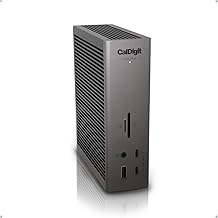
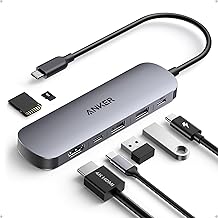
- Hub vs dock. A bus-powered USB-C hub adds a few ports on the go. A powered Thunderbolt/USB-C dock drives multiple monitors, charges the laptop, and stays on the desk. Know which you're buying.
- Match the host. Thunderbolt 4/5 docks need a Thunderbolt laptop to hit full spec; on a plain USB-C laptop, monitor and bandwidth limits apply.
- Power delivery to the laptop should exceed its charger's rating with margin.
- Display support depends on the laptop's chipset as much as the dock — check dual-4K claims against your machine.
What matters less
Port count beyond what you'll use, and 8K display support. Reliability of the connection (firmware, chipset) matters more than the spec sheet.
Start here: our Wi-Fi for working from home guide and best Thunderbolt 5 dock guide.


Guides & comparisons
Free Checklist
The Home-Office Setup Checklist.
Connection, audio, light, camera, desk and power, in the order that matters. Free 2-page PDF, no ongoing newsletter.
No spam. Unsubscribe anytime. Privacy Policy